
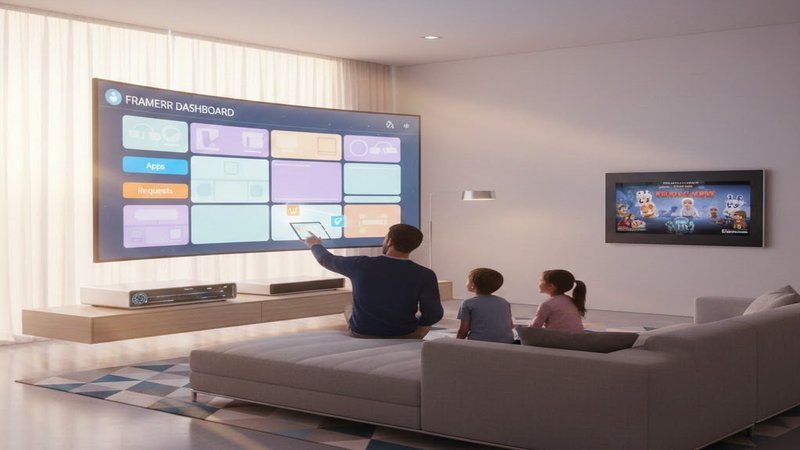
If you’re the “server person” in your household—the one who runs Plex, Jellyfin, or Emby, wrangles Sonarr and Radarr, and patiently answers repeated questions like “Where do I click to watch the new episode?”—you already know the trope: you build an amazing home media setup, and everyone else finds it confusing, ugly, or impossible to use without you standing next to them.
The tools are powerful, but the interfaces are fragmented; the stack is impressive, but your family still texts you for links; you love dashboards, they just want a simple, reliable place to press play. Good; we’re going to be discussing exactly that today.

Designing tools for a home server often starts with the power user in mind, but it rarely ends with them. In most households, there is one person who runs Plex, Jellyfin, or Emby, and a set of family and friends who just want things to be simple, consistent, and easy to use.
Framerr is a self-hosted dashboard explicitly shaped around that reality: it gives the admin deep control over the server stack while presenting everyone else with a clean, intuitive interface that feels more like a polished app than a lab tool.

At its core, Framerr is a central hub for your media ecosystem. It connects to Plex, Jellyfin, and Emby, and it also supports multiple instances of companion services like Sonarr and Radarr. Instead of expecting everyone to remember URLs and ports for each service, Framerr’s iFrame tabs put everything behind a unified sidebar.
Users see “Apps” or “Requests,” not a patchwork of web UIs. This alone makes the experience significantly less intimidating for non-technical users.

The layout system is where the “household-first” design really shows. Framerr uses a drag-and-drop grid layout that can be customized independently for desktop and mobile. The admin or each user can arrange cards and widgets however they like—shifting, resizing, and reorganizing until the dashboard makes sense for their habits. On a phone, that might mean a scrollable vertical layout with just a few key widgets: current activity, recent additions, and a simple button to reach their favorite app. On a desktop, it could be a more information-dense grid with monitoring stats, queues, and notifications visible at a glance.
Multi-user support is baked into the foundation, not bolted on. The admin is responsible for configuring integrations—Plex, Jellyfin, Emby, and external tools—once. After that, users log in and inherit access to those integrations without ever seeing API keys, tokens, or complex setup screens.
Each user gets their own personal dashboard layout and their own theming choices, so a power user can build a dense control panel while others stick to a minimal, friendly view.

Theming plays a bigger role here than pure aesthetics. Framerr ships with preset themes for quick setup, but also allows fine-grained customization of colors for nearly every part of the interface. This is not just about taste; a clear, high-contrast theme can make the app more approachable for users with visual preferences or accessibility needs, while cohesive branding makes it feel like “the family app” rather than another random admin page.
Real-time updates and push notifications tie the experience together. When new media is added, when activity changes, or when key events occur, Framerr can surface that information live in widgets and optionally send web-push notifications. For everyday users, this translates into timely, friendly signals: “new episode available,” “movie added,” or “download finished.”
For the admin, the same infrastructure provides ongoing situational awareness of the entire stack.
Framerr’s development story underscores this user-first philosophy. It was designed by someone who loves self-hosting but is not a professional developer, and who had to bridge the gap between powerful tooling and everyday usability for non-technical friends and family. That perspective shows up at every level: centralizing apps, hiding complexity behind an admin layer, empowering users with their own layouts and themes, and ensuring the experience works just as well on a phone as on a desktop.
For those interested in trying or self-hosting Framerr, source code, documentation, and installation instructions are available on GitHub, including Docker and Unraid options:https://github.com/Framerr-App/Framerr
With what I’ve shared here, you’re in a much better position to stop being the 24/7 “where do I click?” help desk and start being the person who quietly set up a media experience that just works for everyone. You’ve seen how a household-first dashboard—one that centralizes your apps, hides the messy integrations behind an admin layer, gives each person their own layout and theme, and surfaces real-time updates and notifications—can turn your impressive stack into something your family and friends can actually enjoy without your constant intervention.
If you’ve ever wished your media setup felt less like a collection of admin panels and more like a single, shared home app, this is your cue to try a different approach and give both yourself and your users a smoother, saner way to live with your home lab.






Leave a Reply