
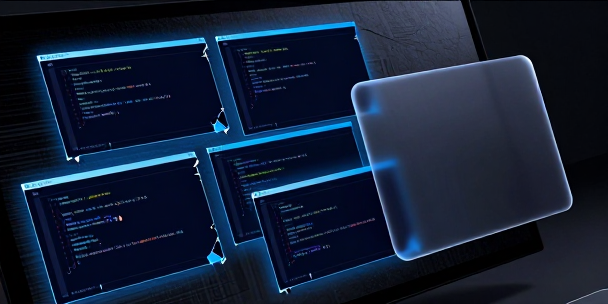
I spent three hours yesterday trying to move six screenshots and a snippet of shell script into a project folder while three different windows fought for foreground focus. Desktop window management has always been a subtle form of competitive stress, where you spend half your brainpower just managing the glass rectangles on your screen.
I recall back when we used to install custom dock utilities on Windows XP just to have a single shelf for scratch files. That itch hasn’t gone away because the underlying problem never got fixed.
Why Are We Still Dragging Files Like It Is 1995
Every modern operating system gives us a basic clipboard, but the moment you try to collect five separate items, the whole mental model falls apart. You copy a line of code, switch apps, paste it, then jump back to grab the next piece.When you look at an open-source tool like Edge-Drop, the idea is to replace that constant window-alt-tabbing with a hidden panel on the side of your monitor.
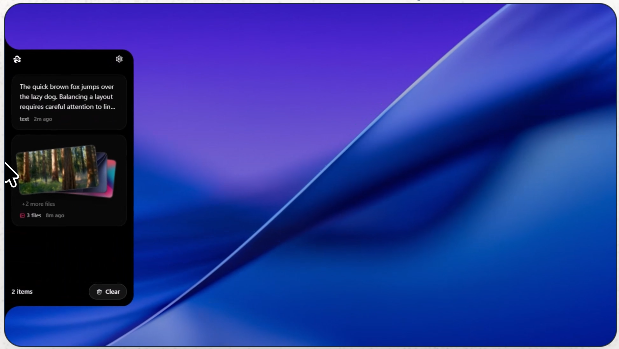
You hover near the screen border, a temporary shelf slides out, and you drop things onto it until you are ready to use them.
Floating Panels Always Look Great Until You Try Gaming
I pulled down the repository to build it from source on my main rig to see how it handles actual daily abuse. The panel sits transparently at the screen edge using a lightweight hover zone, staying completely click-through until your mouse gets close.
I was worried about accidental triggers while swinging the mouse around, especially since my son is always complaining about background utility overlays interrupting his frame rates when he plays games on my PC.
The app actually uses native Windows state checks to completely suppress the hover mechanism whenever a full-screen game or presentation is running.
Stripping Out Heavy Visual Effects Makes A Massive Difference
A lot of desktop utilities suffer from resource bloat because they rely on heavy visual effects like real-time background blurring. Scanning through the recent commit history, the developer dropped those CPU-heavy backdrop blurs in favor of simple, high-performance dark fills.That single tweak keeps the sliding animations running smoothly at high refresh rates without spiking CPU usage.
Zero-Click Workflows Aren’t Free But They Pay Off
Running an Electron app that constantly polls the clipboard for changes makes some minimalists nervous, and rightfully so. You are giving a background process access to whatever you copy, which means local encryption and privacy filters are non-negotiable.
The app handles this by encrypting history on disk using Windows DPAPI keys and automatically ignoring data copied from password managers.
Just Give Me A Scratchpad That Stays Out Of My Way
Having a zero-click drop target anchored to the edge of the display fundamentally changes how you move assets between apps. Instead of treating file organization as a series of constant interruptions, you just throw everything onto the edge shelf and process it when you finish your current thought.
It turns out we didn’t need a smarter clipboard; we just needed a better shelf sitting on the side of our screens.


Leave a Reply