
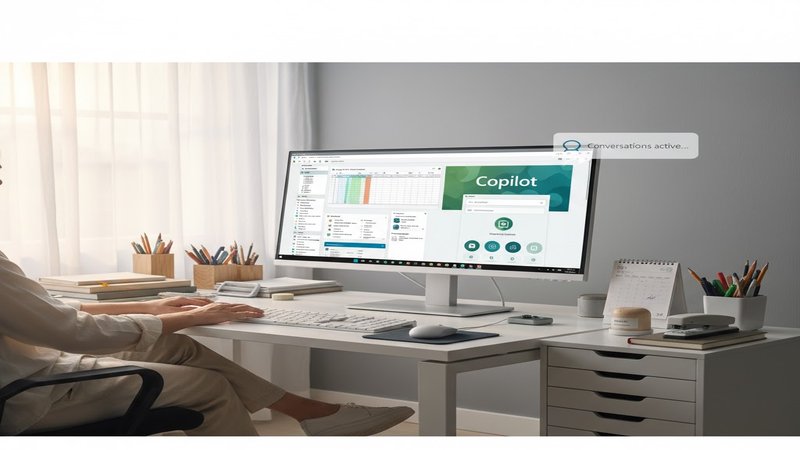
Today, I’m excited to tell you about the latest update to Copilot on Windows – it’s got some pretty cool new features that are really going to make managing your day-to-day tasks just a whole lot easier! Let’s dive right in.
First off, let me give you the skinny: Microsoft is rolling out an updated Copilot app for Windows 11 users. This update means that you can now create Office documents and connect directly to Gmail and Outlook accounts with ease!
So imagine this – you’re chatting away on your Windows PC, and before you know it, a Word document or PowerPoint presentation shows up right in front of you. No more copying and pasting and fiddling around trying to save everything separately. Just give Copilot an idea or prompt, and presto! A neat little file pops up where all your work lives.
Now this is super helpful for both individual users who just need a quick project together, but it’s especially great for businesses too – like if you’re organizing a team meeting that needs some notes taken down. You can ask Copilot to send out those documents right there and then, without any extra steps or tools required. And as an added bonus, the AI assistant will even let you export anything longer than 600 characters directly into Word, Excel, PowerPoint, or PDF files – no need for manual copy-paste anymore.
And guess what? You can connect Copilot to your Outlook account (or a Google one too) so it’s always ready with all your email addresses and invoice details right at the tip of its tongue. It’s like having an AI assistant that’s on 24/7, waiting for you whenever you need something.
But before we get into all that detail, I just wanted to make sure everyone knows: this is a feature that requires linking in an account – either through your Outlook or Google accounts. So you’ll have to go ahead and set up the connection if you haven’t already. It’s pretty straightforward, so let’s do it now.
The good news? This update is currently available for Windows Insiders, meaning those who are part of the beta program. But we’re working on bringing this to everyone else soon – a general release date hasn’t been set yet but it’s coming in a couple of weeks. So stay tuned!
Speaking of things that will be coming down the line: Microsoft is also planning to roll out an updated version of OneDrive for Windows users next year, with new features like a gallery view, AI-powered slideshows, and editing tools. That’s right – more fancy stuff for your files and documents.
So there you have it! Copilot on Windows is getting even better, and with this latest update, everything from your chat sessions can be turned into neat little projects or presentations. Just imagine how much time and stress that saves you in the office. But remember: to make use of these features, you’ll need to link one of your email accounts to Copilot.
And that’s all from me today. If there’s anything specific you’d like more information on, just let us know! Keep checking back for updates as Microsoft continues to improve their AI-powered assistant tools.
Thanks for tuning in and stay productive with the latest from Copilot on Windows!










Leave a Reply