Slash Subscription Costs: Open Source Alternatives

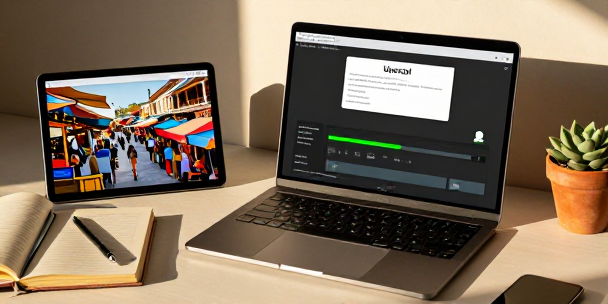
Read Time: 2 min.We’ve all been there: staring at a credit card bill, wondering where all the money went. It feels like subscriptions and software costs are a constant drain, especially when you’re trying to juggle a million things. It’s a familiar feeling, isn’t it? But what if there was a way to trim those expenses without sacrificing functionality? This weekend, it’s worth taking a peek at some open-source alternatives that might just surprise you – and save you some serious cash. Drowning in Footage? My wife, bless her heart, doesn’t care about codecs or file sizes. She just wants the photos and videos to work. My son, on the other hand, would happily debate the merits of different GPU architectures while I’m trying to explain why we need more storage. But the reality is, video files, especially those from travel, can quickly eat up space and money. HandBrake is a free, open-source video transcoder that can help. It converts video files between formats, rips DVDs and Blu-rays, or compresses footage into smaller file sizes. I travel from time to time, and after each trip, I’m usually sitting on a terabyte of raw footage. Converting that footage from H.264 to H.265 (HEVC) can reduce file sizes by around 75%, which is a huge deal when you’re paying for cloud storage. It’s a surprisingly simple way to cut down on storage costs over time. The 4K Tax Wallpaper. It’s a small thing, but those high-resolution images can add up, especially if you’re like me and have a massive ultrawide monitor. Many websites lock those 4K versions behind a paywall, and it’s just frustrating. Enter Upscayl, a free, open-source AI image upscaler that runs offline. It uses local AI models to increase an image’s resolution, making low-resolution images look sharper and more detailed. You can technically upscale images by up to 16x, but 4x or lower is usually best. It’s a great way to avoid paying for image upscaling tools and get decent results. It’s a smarter way to get the resolution you want without breaking the bank. Beyond Chatbots: Automation Now, I know what you’re thinking: “Local AI models? Isn’t that just for tech nerds?” And yeah, most people try to use local LLMs as a direct replacement for ChatGPT and end up disappointed. But that’s missing the point entirely. Ollama lets you run AI language models locally, and its real power lies in automation. I used to spend $5-$10 a month on OpenAI API credits for simple tasks like turning voice notes into Obsidian notes, creating calendar events, and even renaming screenshots. Now, I’ve offloaded all of that to a local model running through Ollama. It’s a game-changer for anyone who uses automation tools. It’s a surprisingly effective way to reclaim control over your data and your budget. These open-source apps aren’t just free; they’re a way to reclaim control over your digital life and your wallet. Give them a shot this weekend – you might be surprised at what you find.




Leave a Reply